Make a unique Instagram bio, then customize and copy it.
Your Instagram bio ideas
Pick an Instagram bio to copy or save. Tap Style this to personalize it.
Four Instagram bio ideas, made for you
Choose your aesthetic, then tap Generate Instagram bios. You will get short, three-line, personality and decorative suggestions.
♡ a little magic, every day
Blank details? We'll label the results as sample bios, without inventing personal facts.
Style your Instagram bio
Paste your Instagram bio, then choose a font, symbol or decoration.
Styling keeps your wording. It does not rewrite or correct it.
Saved bios ♡
Backup is a JSON file on your device. Imports merge unique bios (maximum 300).
Instagram Profile Preview Live mockup · tap to collapse
Personalize the profile preview
Select a generated bio or use Style my bio; changes appear instantly. Adjust this mock profile without connecting Instagram.
Length guide is advisory, not an official Instagram limit.
Mockup only: stats, grid tiles and profile buttons are visual placeholders. This tool does not access Instagram. A selected photo stays on this page until reload.
Instagram profile previewAesthetic Bio for Instagram: Ideas to Copy & Customize
Your profile can introduce you before anyone opens a post. An aesthetic bio for Instagram gives that introduction a consistent tone, whether you share illustrations, everyday photos, outfits or a personal journal. A few specific words help visitors understand what belongs on your page and what matters to you.
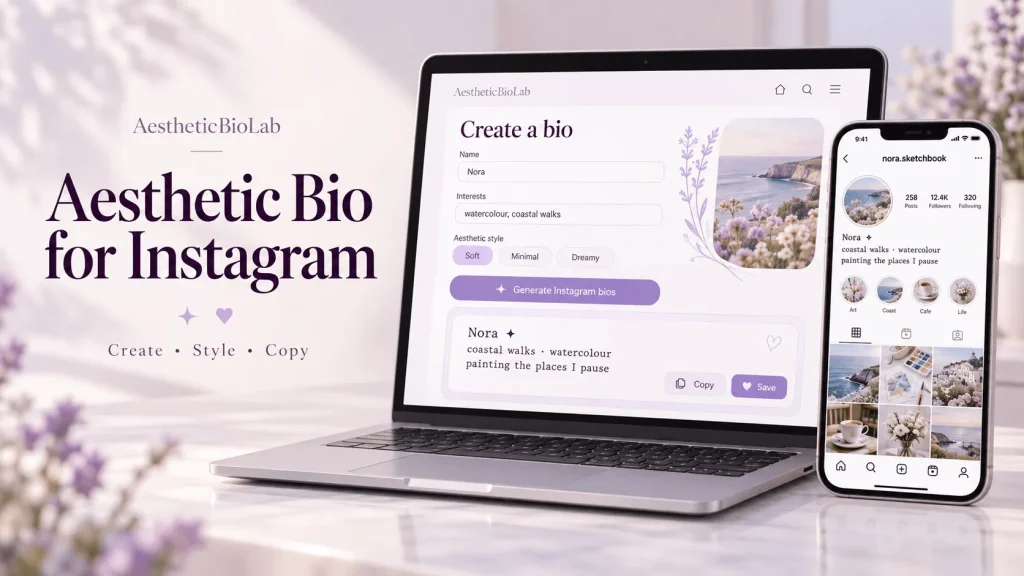
The tool above lets you generate suggestions from optional details, edit the wording and explore different lettering or symbols. You can also preview your choice in an Instagram-style profile with a display name and local photo before copying the text.
Below are 60 examples across seven styles, followed by editable templates and practical guidance. Choose something that reflects your interests, then adjust the details. A useful introduction should still sound like you when the decoration is removed.
Aesthetic Instagram Bios to Copy and Paste
Looking for an aesthetic bio for Instagram that you can use today? Start with these examples. Each option is a complete bio, including its line breaks. In the interactive version below, choose Copy to copy it or Customize to open the wording in Style my bio.
Short and Minimal Bios
Short and minimal bios leave room for what matters. Start with an interest, an activity or one recognisable detail rather than a long list of adjectives.
Soft and Dreamy Bios
For a gentler tone, combine quiet observations with a little imaginative language. Simple routines work well alongside sky, light and landscape imagery.
Cute and Kawaii Bios
Cute and kawaii bios can show your playful side through hobbies and small everyday details.
Coquette Bios
Create a romantic, coquette-inspired introduction around details you genuinely enjoy: clothing, stationery, handmade accessories or books.
Dark and Moody Bios
A darker mood can come from photography, music or thoughtful wording. Heavy decoration is optional.
Vintage-Inspired Bios
Nostalgic details become more memorable when tied to something personal: a collection, a craft or a favourite way to spend an afternoon.
Y2K-Inspired Bios
Use early-digital references, retro accessories or colourful personal style for a playful Y2K mood.
How to Create Your Bio with the Instagram Bio Generator
Use the Instagram bio generator above to create suggestions based on your own details—or style a bio you already have.
Add optional information.
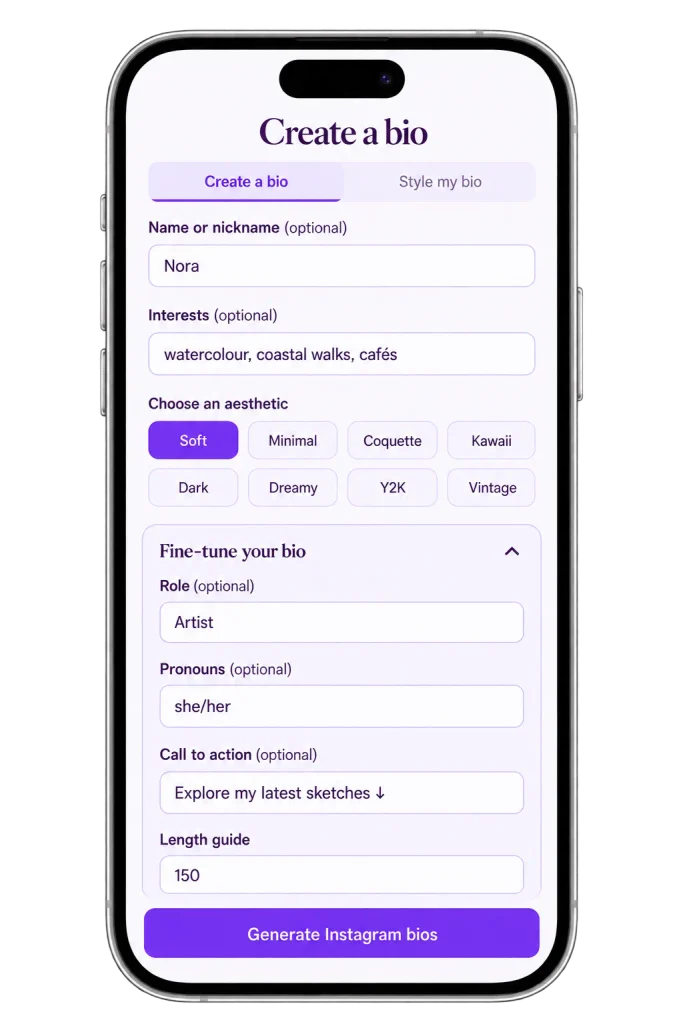
Enter a name or nickname and interests separated by commas. Choose an aesthetic. Open Fine-tune your bio for a role, pronouns, call to action or editable length guide.
Create or style.
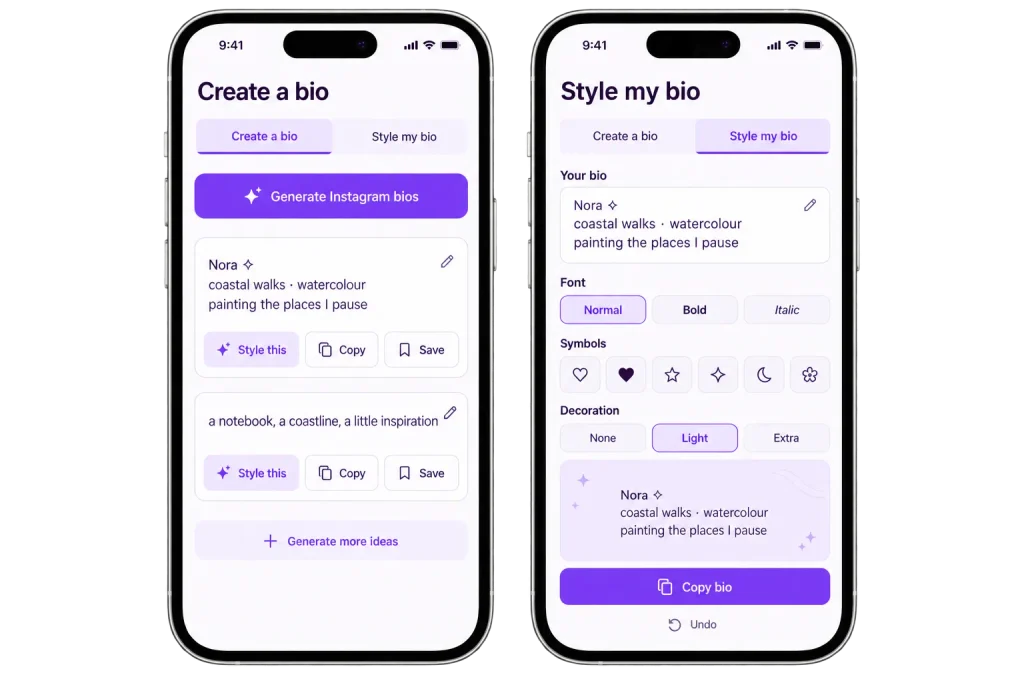
Select Generate Instagram bios for prepared suggestions. Alternatively, choose Style my bio and paste your own wording. Generated cards can be edited directly; Style this opens customization controls.
Review and keep your choice.
Use Copy or Copy bio to copy the relevant text. Save adds it to your browser’s collection. Generate more ideas adds further variations when available.
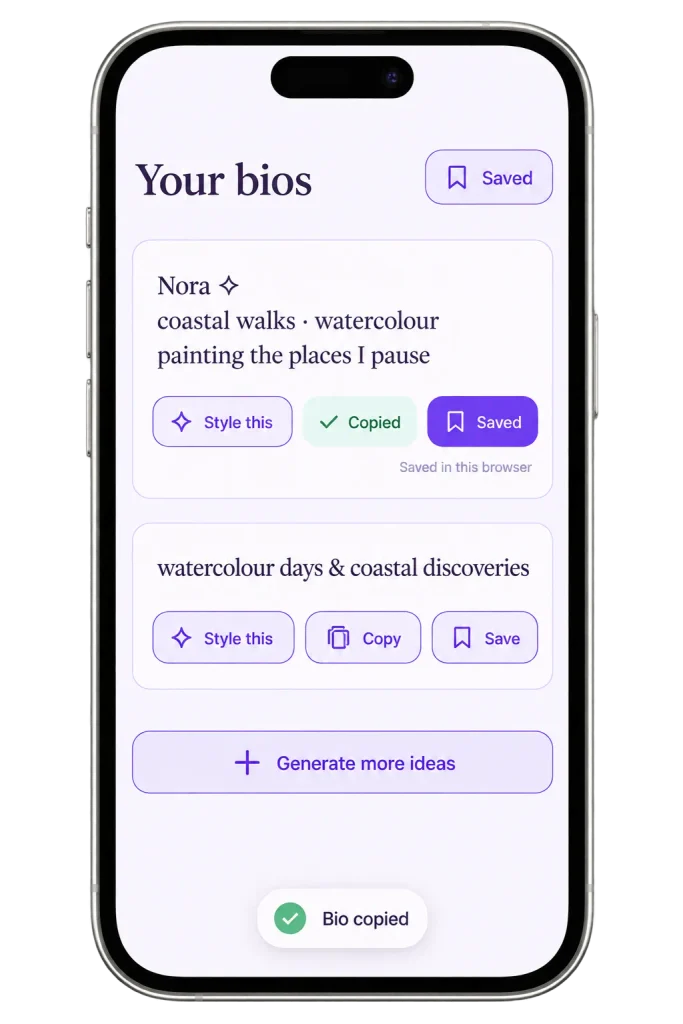
The tool combines templates and phrases rather than calling an AI writing model. Suggestions are finite, and styling does not correct spelling.
For other platforms, visit our aesthetic bio maker.
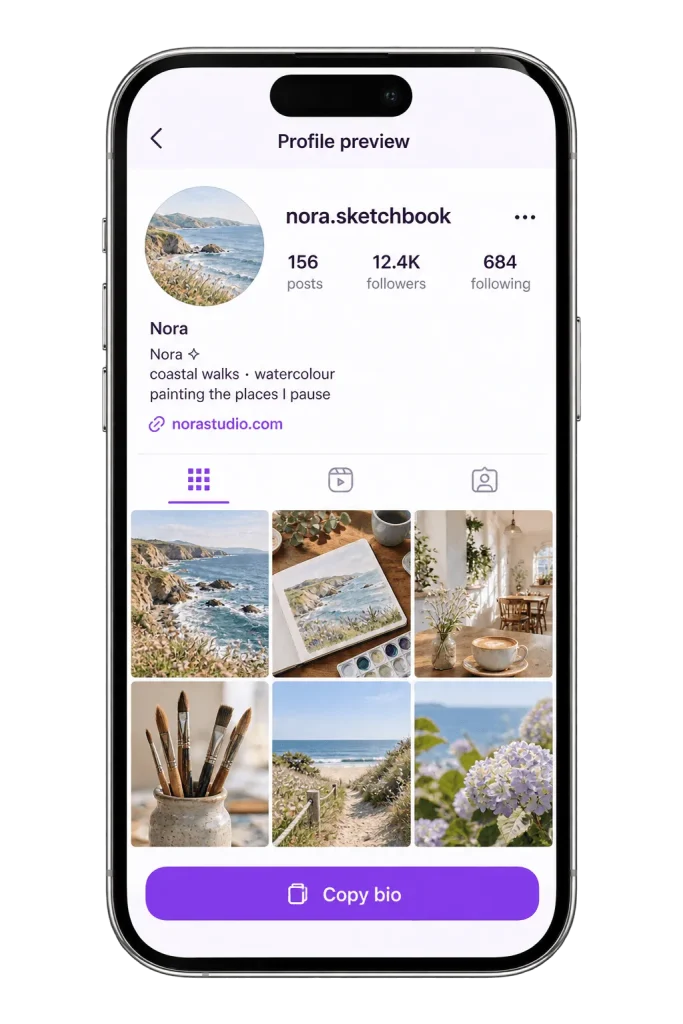
Preview Your Bio in an Instagram-Style Profile
Before copying an aesthetic bio for Instagram, check how its wording looks within a profile layout. Select View in Instagram profile to display a generated result or your styled text.
You can adjust the preview username, display name and profile link, then add a local JPG, PNG or WebP photo up to 3 MB. This helps you compare the introduction with your chosen profile details.
Copy selected bio copies only the bio text. It does not copy the photo, username or complete layout, and the preview does not update your Instagram account. The photo is temporary and will need selecting again after a reload.
Treat this as a visual guide. Check the finished result inside Instagram because text wrapping and appearance can differ.
Instagram Bio Templates You Can Personalize
A reusable template gives an aesthetic bio for Instagram a clear structure. Replace every bracketed field and remove any detail that does not serve your profile.
A Simple One-Line Introduction
Use one line for a role, an interest and a personal detail.
Template:
[role or interest] · [specific detail] · [personal touch]
Example:
This works when your posts provide the rest of the context.
A Three-Line Personal Bio
Let each line contribute something different.
Template:
[name or introduction]
[interests]
[what you share]
Example:
If your name already appears clearly above the bio, use the first line for another useful detail.
A Creator Bio with a Call to Action
Explain what you make and offer a relevant next step.
Template:
[what you create]
[what visitors will find]
[invitation]
Example:
The invitation should match something visitors can actually access through your profile.
How to Choose the Right Aesthetic Instagram Bio
An aesthetic bio for Instagram works better when its details connect to what you actually share. Look at your recent uploads: what would a new visitor expect to see next?
Choose one main topic, add a recognisable personal detail and decide whether an invitation is useful. A private photo diary may need no call to action; an illustrator might point people towards a portfolio.
General:
More specific:
Only mention a posting schedule if you intend to keep it. Likewise, use roles and hobbies that describe you rather than leaving an attractive example unchanged.
Add Fonts and Symbols Without Losing Readability
For an aesthetic bio for Instagram, add decorative styling only after the message is clear. Compare the same words with different levels of decoration:
|
Approach |
Example |
|
Plain wording |
Nora · coastal walks · watercolour |
|
One symbol |
Nora ♡ coastal walks · watercolour |
|
Styled name |
𝐍𝐨𝐫𝐚 ♡ coastal walks · watercolour |
What people call aesthetic fonts for Instagram bios generally involves Unicode lettering. The tool offers 10 options, including Normal, alongside a searchable symbol library.
Keep important details easy to read. Decorative characters can display differently across devices and may be difficult for assistive technology to interpret. Save a plain copy before experimenting with already-styled text.
These examples are for the Bio field. Do not assume the same characters will be accepted in your @username.
How to Add Your Finished Bio to Instagram
Once your aesthetic bio for Instagram is ready:
If the text does not fit, remove unnecessary decoration and repeated ideas first. Keep the details that explain who you are or what you share. If a line wraps awkwardly, shorten it rather than adding spaces to force alignment.
Frequently Asked Questions
Make Your Aesthetic Instagram Bio Your Own
Make your aesthetic bio for Instagram personal: build it around something you actually enjoy, make or share. Pick a starting point, replace generic details and check the finished layout before copying. You can return to the tool whenever your interests, content or preferred style change.